New Analysis Tools

Day & Night
Anyone looking at the longest flights on the platform has probably wondered at some point: How well was the available daylight used here? Or, in the case of night flights in the US: When exactly did takeoff and landing happen relative to daylight? Even though local time can now be displayed via your profile settings, it’s often hard to get a feel for the exact local timing conditions. Even within a single time zone, sunrise or sunset can easily differ by two hours. On top of that, there are seasonal variations that, depending on latitude, can be quite different from what you’re used to at home. Unlike a clock time, however, a reference to twilight times is universally understood.
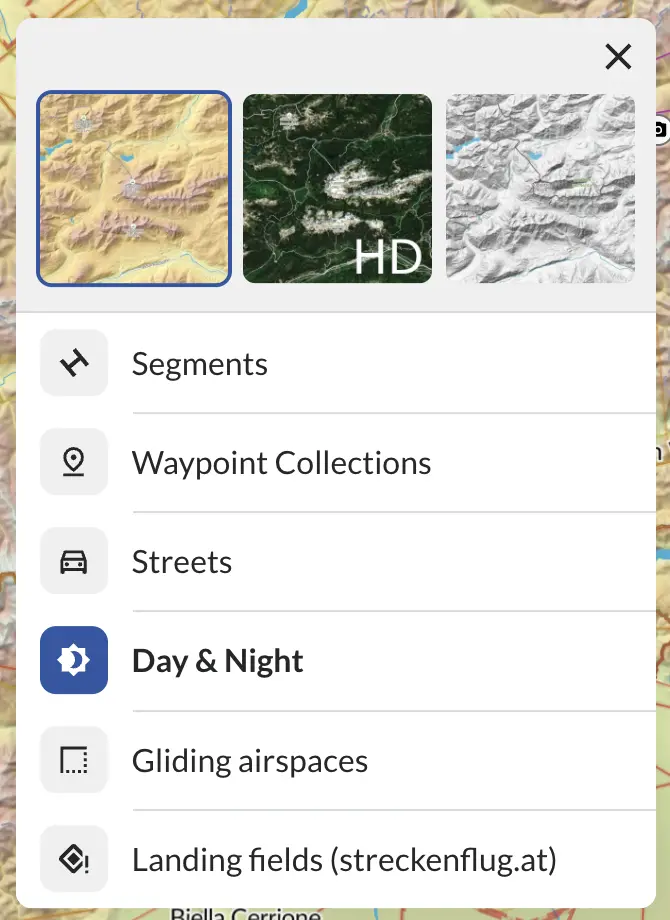
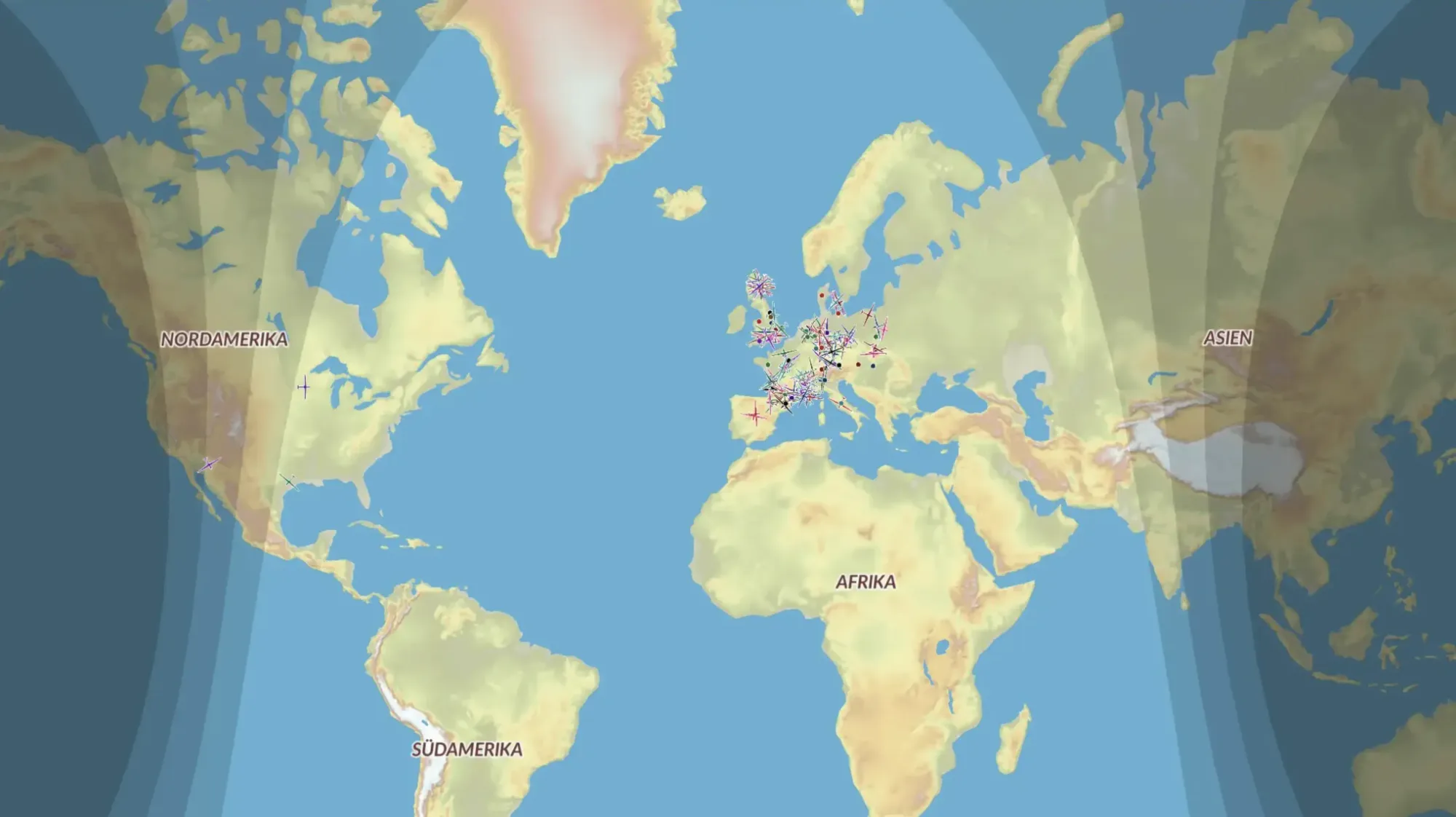
In the map layers at the bottom left of the map, you’ll now find the Day & Night button. It activates an overlay that shows civil, nautical, and astronomical twilight as well as night on the map, with increasingly darker shading.
The first line corresponds to sunset, and each subsequent boundary lies 6 degrees lower. This makes it easy to see what time of day flights took place and how low the sun was at any given moment.
In Felix Herold’s 2,000 km flight, for example, moving the cursor in the barogram to the takeoff or landing time shows just how far the day was pushed:
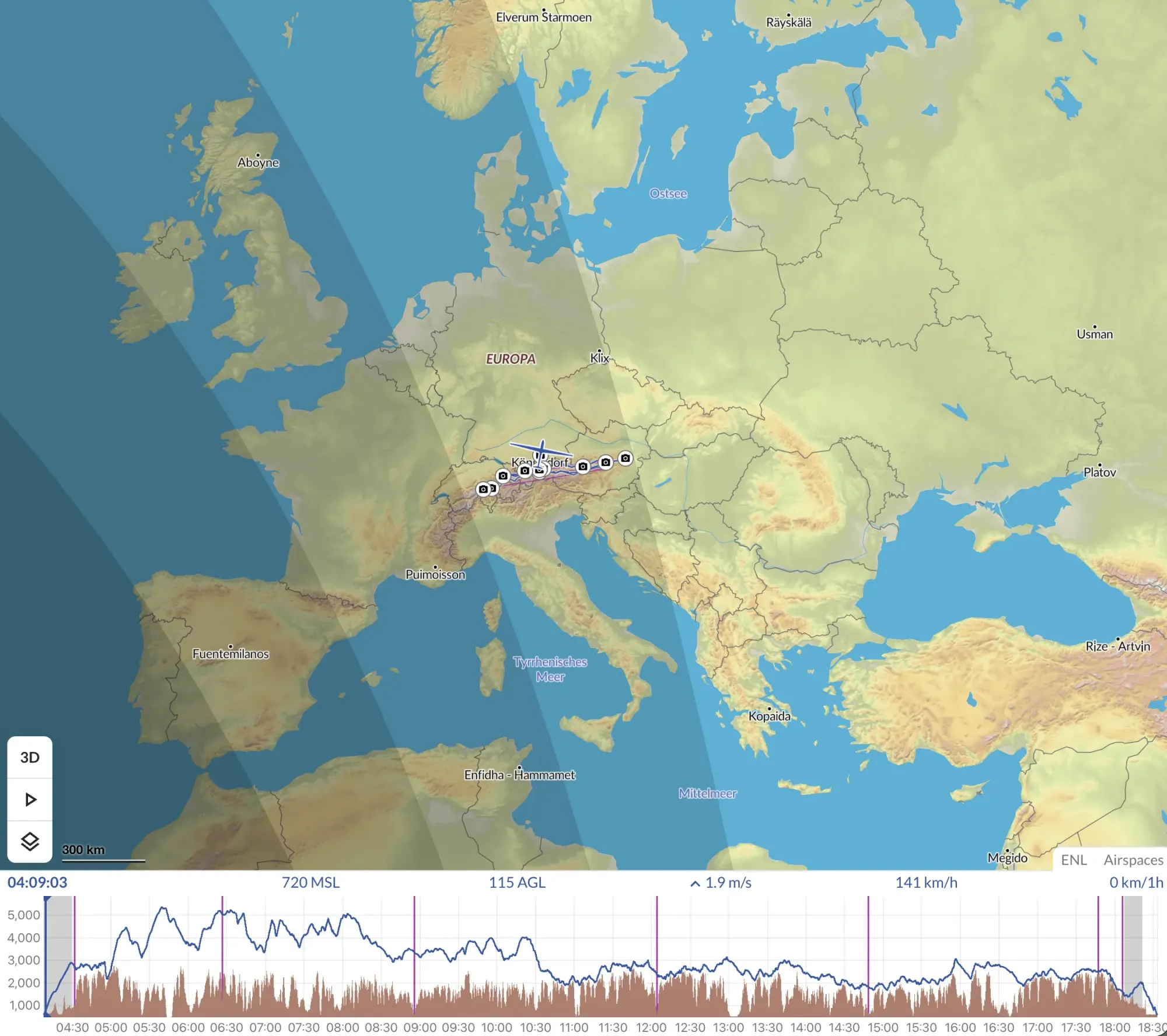
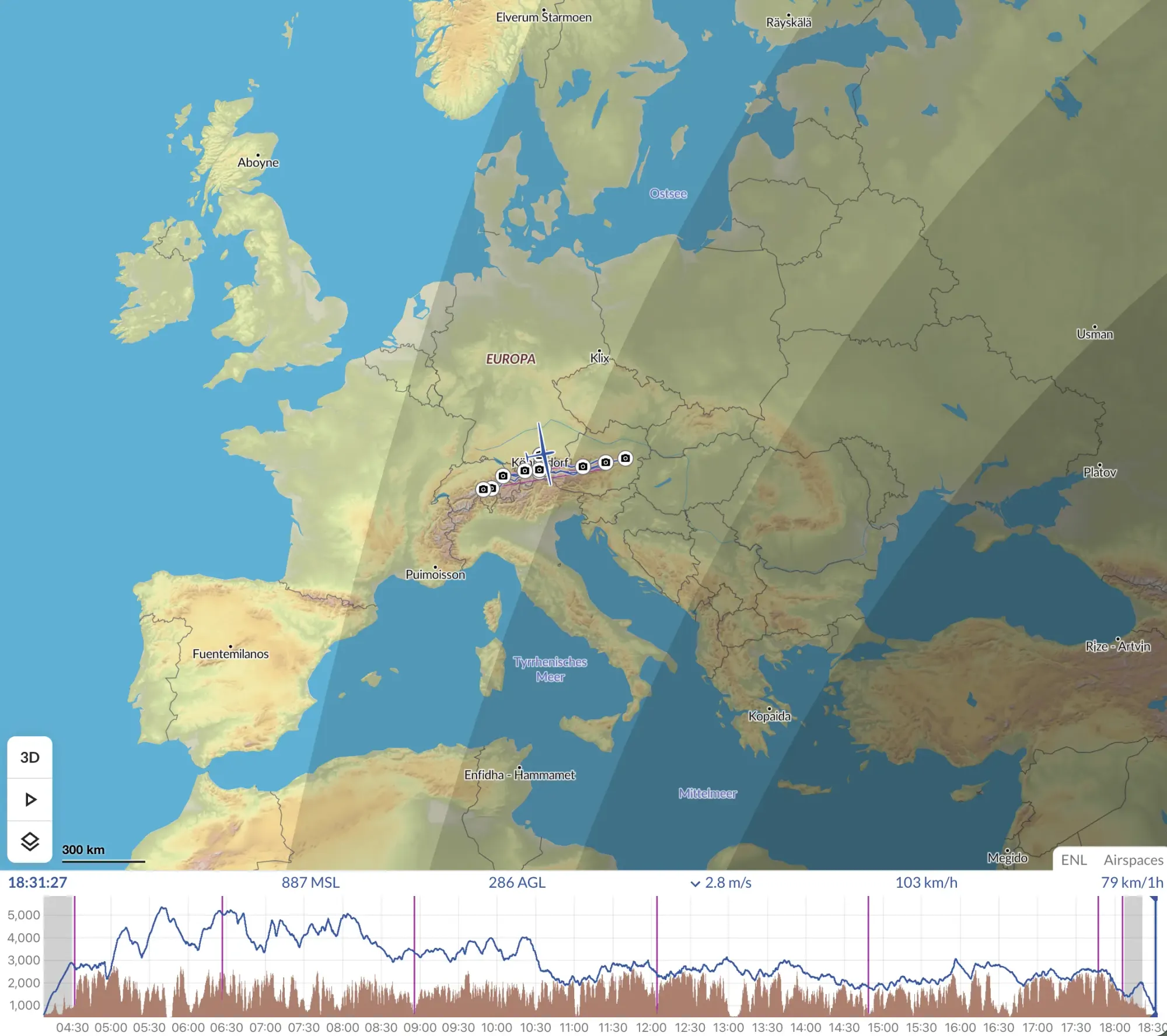
Takeoff before sunrise – landing shortly before the end of civil twilight
This feature can also be enabled in the Live view, where it shows the sun’s position at any location on Earth. That’s especially exciting when you’re following a long flight and can feel the suspense of how much time is left until sunset.
Note: The twilight times are rounded and do not take local geographic conditions (e.g., terrain elevation) into account. This tool cannot be used for legal purposes.
Range Analysis
The second new feature concerns an analysis tool that has actually been around for a while but has now been significantly improved and expanded as part of our ongoing development: the arrival altitude. Previously, it only showed arrival altitudes at nearby airfields. However, it had one limitation: the altitude was calculated along the shortest path, without any other influences. For flights outside of flat terrain, this led to significantly overestimated values.
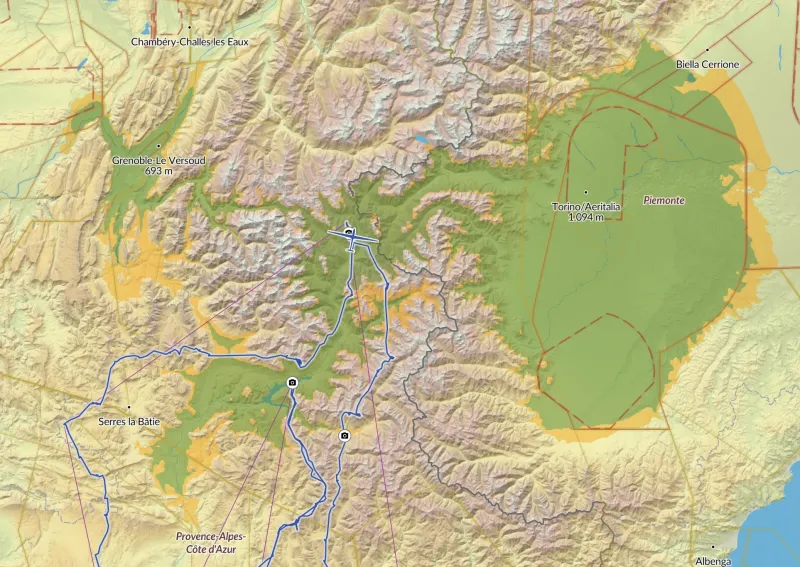
So we’ve now built a more realistic feature that adds a lot of value to flight analysis. Glide paths can now be calculated directly on your device based on the surrounding topography and the wind. Starting from the aircraft’s position, the altitude loss along a theoretical flight path to the neighboring pixels is calculated, taking into account the glide ratio/MacCready setting and the wind data, and then compared with the ground elevation. This is repeated iteratively, working from the inside out, until terrain is reached. The outcome is a realistic picture of the entire glide range.
As a result, in addition to a more accurate calculation of arrival altitude at surrounding airfields, you now get a two-dimensional view of the entire area reachable from a given altitude. As with the WeGlide Coach, the wind is derived from the aircraft’s movements during the flight.
Range visualization during the final glide of a competition
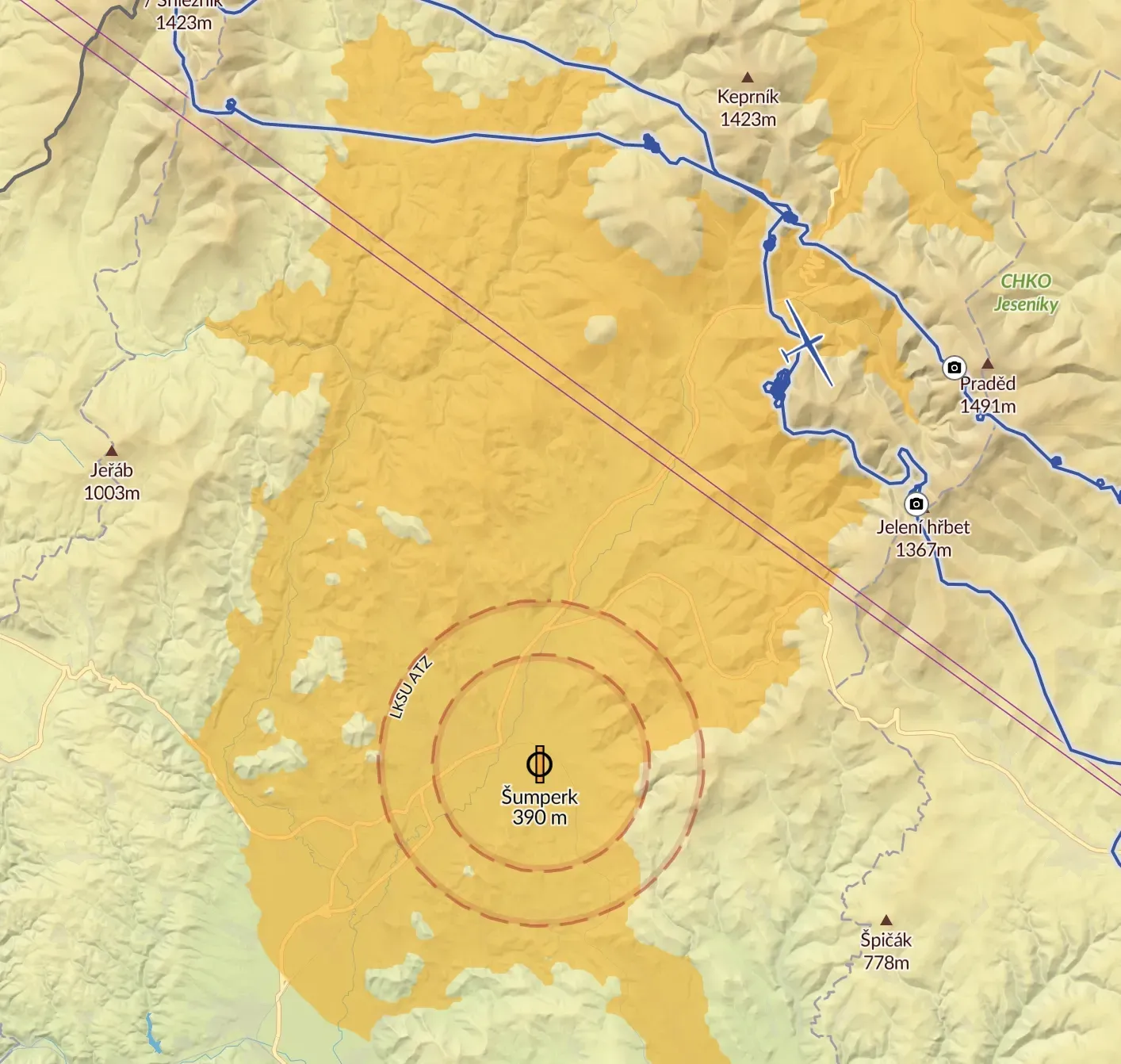
A point that can be reached while staying more than 200 m above ground the entire way is marked green; a point where you drop to only 100–200 m AGL at least once along the way is marked yellow. Locations that require overflying terrain at less than 100 m AGL are not colored. As with the Coach, the wind is shown as an indicator at the bottom right.
This means that an airfield, for example, can lie within a yellow area and still show an arrival altitude of more than 200 m, if you had to fly below 200 m AGL on the way there, as shown in the next image.
This analysis tool really shines in mountainous regions. Here you can clearly see how much a detour around a ridge reduces your glide range, whether you can still comfortably make it over a particular pass, or how many off-field landing options would have remained. This is a big help when analyzing a flight from a risk management and safety perspective. The MacCready setting, and thus the assumed glide ratio, can be adjusted in the tool’s tab.
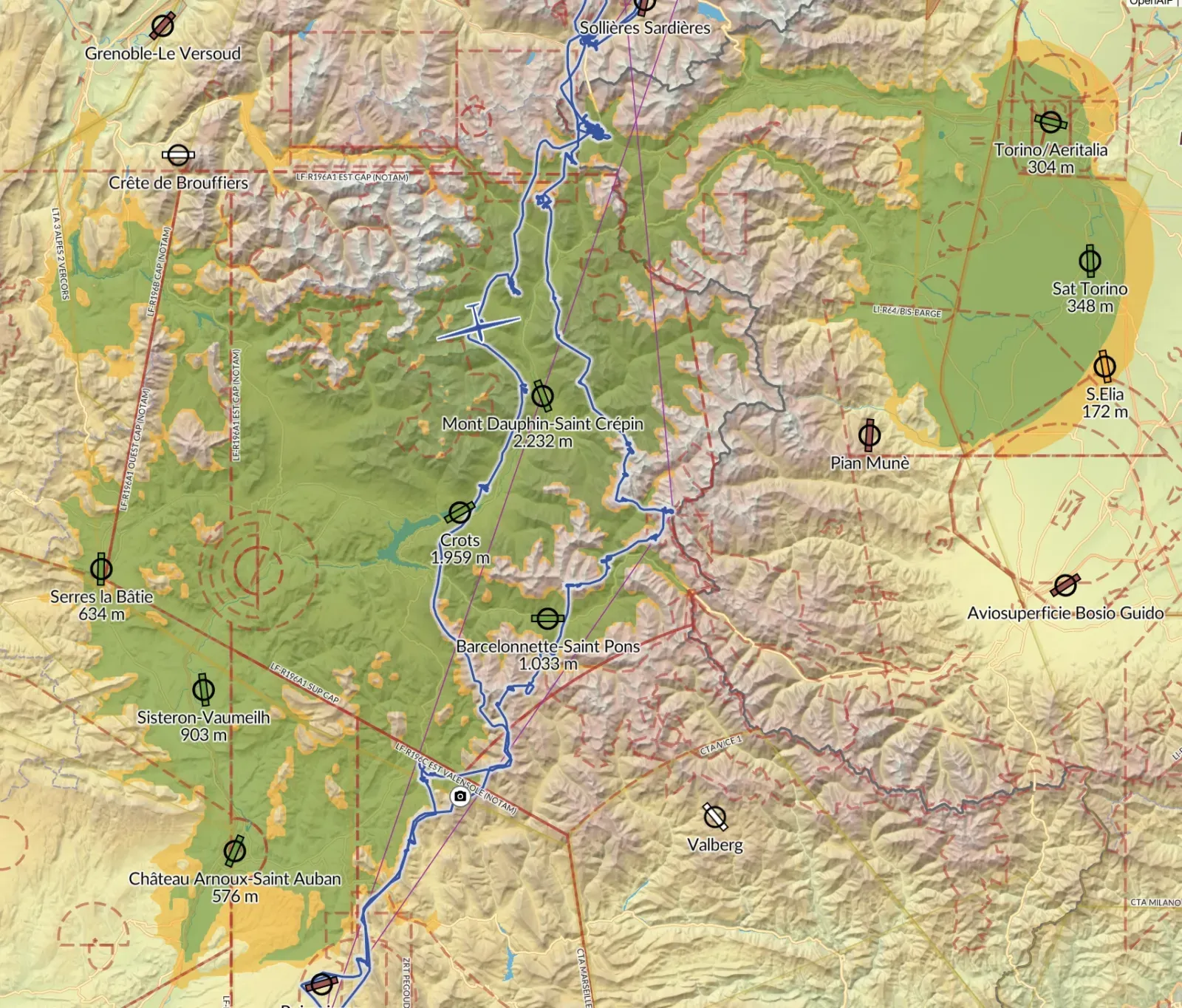
It’s important to know that this calculation still has some limitations and therefore shouldn’t always be taken as the “exact truth.” Its biggest weakness is the underlying wind calculation, which is based solely on the flight path and therefore accounts neither for major changes with altitude nor for local effects such as stronger winds in valleys. This means an area may be marked green on the map but, in practice, be unreachable due to a strong valley wind system, for example. You should be aware of this limitation in order to use the feature effectively. The energy stored in airspeed is also not currently taken into account.

The tool, now renamed “Range,” can be found in the tabs below the flight details on the left (or at the bottom when using the platform on mobile). The feature is part of the Premium subscription.
Thank you for supporting WeGlide! It allows us to develop more new features and get even more out of your flights.
 Maximilian Wießner